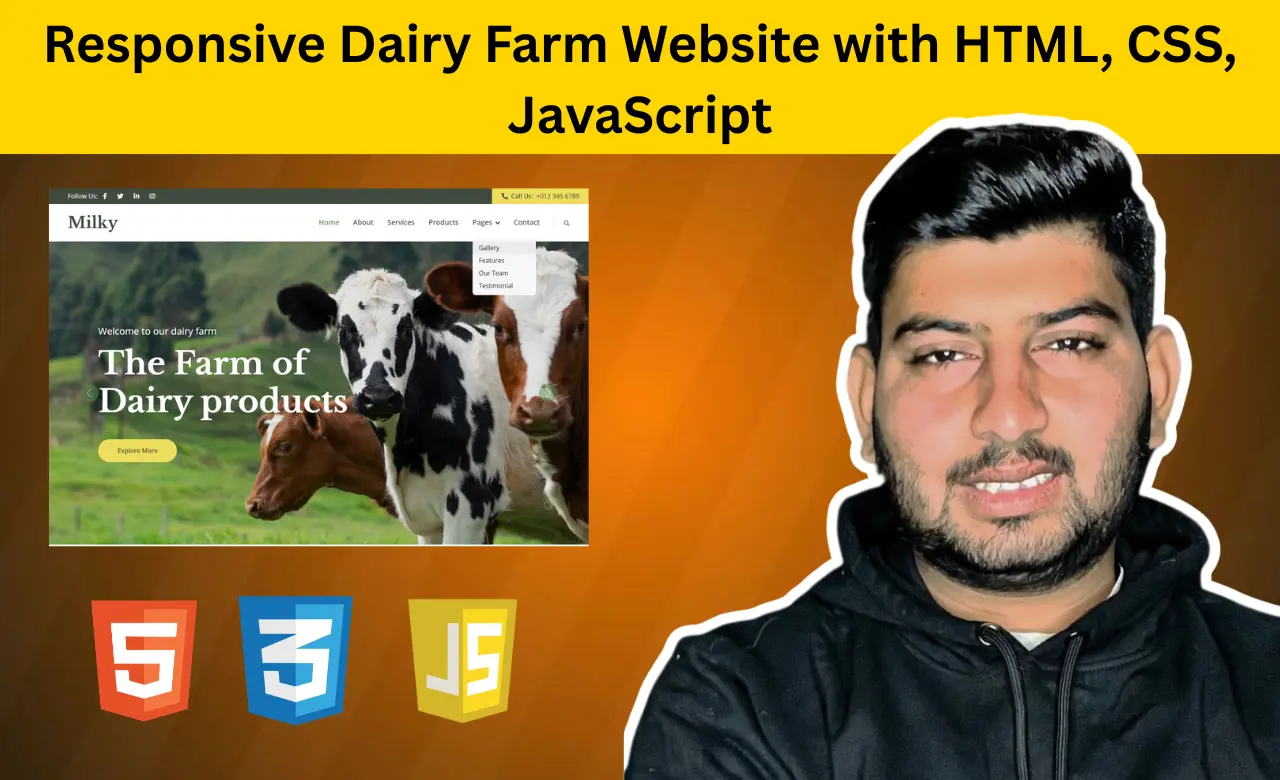
Introduction
Most dairy farms still rely heavily on local customers and word-of-mouth marketing. While this approach
can help build a loyal customer base, it often limits business growth in today's digital world. A
professional website allows dairy farms to showcase their products, share their story, build trust with
customers, and reach a much wider audience.
A well-designed dairy business website should do
more than simply display information. It should present products professionally, highlight the farm's
experience, showcase customer feedback, and make it easy for visitors to learn about the business. This
project brings all of these elements together through a clean layout, engaging visuals, responsive
pages, and interactive components that enhance the overall browsing experience.
Features of the Dairy Farm Website
Before exploring the code, let's look at some of the key features included in this project:
- Responsive multi-page website design
- Bootstrap navigation bar with dropdown menu
- Attractive hero image carousel
- Dedicated About page
- Service showcase section
- Product display pages
- Gallery and team sections
- Customer testimonial slider
- WOW.js scroll animations
- Sticky navigation effect
- Back-to-top button
- Mobile-friendly layout
These features help create a modern dairy farm website design that looks professional and works smoothly across different devices.
HTML Structure
The website follows a multi-page structure rather than placing all content on a single page. This approach makes the project more organized and easier to manage.
Several HTML files are used throughout the project:
- index.html – Homepage
- about.html – Farm introduction and business information
- service.html – Services offered by the farm
- product.html – Dairy product showcase
- gallery.html – Farm and product images
- feature.html – Business highlights
- team.html – Team members
- testimonial.html – Customer reviews
- contact.html – Contact details and inquiries
The homepage navigation menu connects all these pages together. It also includes a dropdown menu that gives visitors quick access to additional sections of the website.
                    <div class="navbar-nav ms-auto p-4 p-lg-0">
                <a href="index.html" class="nav-item nav-link active">Home</a>
                <a href="about.html" class="nav-item nav-link">About</a>
                <a href="service.html" class="nav-item nav-link">Services</a>
                <a href="product.html" class="nav-item nav-link">Products</a>
                <div class="nav-item dropdown">
                    <a href="#" class="nav-link dropdown-toggle" data-bs-toggle="dropdown">Pages</a>
                    <div class="dropdown-menu bg-light m-0">
                        <a href="gallery.html" class="dropdown-item">Gallery</a>
                        <a href="feature.html" class="dropdown-item">Features</a>
                        <a href="team.html" class="dropdown-item">Our Team</a>
                        <a href="testimonial.html" class="dropdown-item">Testimonial</a>

                    </div>
                </div>
                <a href="contact.html" class="nav-item nav-link">Contact</a>
            </div>
This navigation structure improves usability and allows visitors to explore different pages without
confusion.
The homepage also contains a large hero carousel that serves as the main visual
attraction of the website. <code> id="header-carousel" class="carousel slide"
data-bs-ride="carousel"<div>
The homepage features a rotating carousel that showcases multiple promotional slides and farm visuals, helping create a stronger first impression.
Additional sections on the website include service cards, product showcases, feature highlights, testimonials, team information, and contact details. Bootstrap's grid system is used throughout the project to maintain proper alignment and responsiveness.
CSS Styling
Once the website structure is complete, CSS is used to create a professional and visually appealing
design.
The project combines Bootstrap components with custom styling to achieve a unique
appearance. Rather than relying entirely on Bootstrap defaults, additional CSS is used to customize
sections such as the navigation bar, carousel, products, testimonials, and footer.
One important
customization controls the behavior of the sticky navigation bar.
            .sticky-top {
    top: -100px;
    transition: .5s;
}
This styling allows the navigation menu to smoothly appear when users scroll through the page, creating a better browsing experience.
CSS is also responsible for refining several other sections, including:
- Hero carousel layouts
- Service cards
- Product displays
- Testimonial sections
- Buttons and links
- Image galleries
- Typography
- Footer design
Careful spacing and typography choices help improve readability throughout the website. Instead of
overcrowding content, sections are given sufficient spacing to create a clean and balanced layout.
The layout has been designed to adapt seamlessly to different screen sizes, ensuring a
consistent experience for every visitor.
The overall color scheme complements the agricultural
theme and helps reinforce the dairy farm branding.
JavaScript Functionality
While HTML provides the structure and CSS handles the appearance, JavaScript adds interactivity and dynamic behavior.
One of the first features users encounter is the loading spinner. This animation appears while page resources are loading and disappears automatically once the website becomes ready.
var spinner = function () {
    setTimeout(function () {
        if ($('#spinner').length > 0) {
            $('#spinner').removeClass('show');
        }
    }, 1);
};
spinner();
Although simple, this feature helps create a smoother loading experience and makes the website feel more
polished.
The project also uses WOW.js to animate content as visitors scroll through the page.
new WOW().init();
As visitors scroll through the page, different sections appear with subtle animation effects, making the browsing experience more engaging.
Customer testimonials are displayed using Owl Carousel. This allows multiple reviews to rotate automatically without taking up excessive screen space.
$(".testimonial-carousel").owlCarousel({
    autoplay: true,
    smartSpeed: 1000,
    items: 1,
    loop: true
});
This feature helps showcase customer feedback in a visually appealing format while keeping the page organized.
JavaScript is further used to handle features like...
- Sticky navigation effects
- Carousel controls
- Scroll-triggered animations
- Back-to-top button
- Smooth user interactions
- Responsive navigation behavior
These small enhancements contribute to a smoother and more enjoyable user experience.
Why Build This Project?
This project is an excellent way to practice front-end development because it combines several important concepts into a single website.
By building this Dairy Farm Website, you'll gain experience with:
- Multi-page website development
- Bootstrap layouts
- Responsive design techniques
- JavaScript interactivity
- Carousel implementation
- Animation libraries
- Business website structure
- User experience improvements
The skills learned in this project can be applied to many other industries, including agriculture, food businesses, e-commerce, and corporate websites.
Conclusion
In the end, I would like to tell you all that you have to reduce strictly, it is not that you are reducing anything in the website and never, you have to reduce it in a consistent manner and do not copy anything, be it images or content, you have to reduce it as per your idea and provide strict guide information to the people so that they visit your website more and this will help in ranking it in Google.Whether you're learning front-end development or building a website for an actual dairy business, this project offers hands-on experience with concepts that are widely used in modern web design. You can continue expanding it by adding features such as online inquiries, product ordering, or payment integration based on your requirements.
As your skills grow, you can continue improving this project by introducing new functionalities tailored to real business needs. Small additions such as inquiry forms, blog updates, or online purchasing options can gradually transform it into a complete digital solution for a dairy farm.
Source Code