Introduction
Solitaire is one of the most popular card games ever made. Most people have played it at least once,
whether on an old computer or a mobile phone. Because the game looks simple, building it might seem easy
at first. In reality, there's much more going on behind the scenes.
A proper Solitaire game needs card rules, hidden cards, move checking, and features that make the
experience enjoyable for different types of players. This version of the game includes difficulty
levels, hints, undo support, and a layout that works well on both desktop and mobile devices.
If
you're looking for a JavaScript project that goes beyond the usual beginner apps, Solitaire is a great
choice.
Features of the Game
- Classic Klondike Solitaire gameplay
- Three difficulty levels: Easy, Medium, and Hard
- Hint system for new players
- Undo feature with limits based on difficulty
- Drag-and-drop card movement
- Click-to-move support
- Mobile-friendly design
- Win screen with replay options
These features help the game stay true to the original while making it more enjoyable for modern players.
HTML: Building the Game Board
The HTML structure is surprisingly simple. Instead of adding all 52 cards directly into the page,
the markup only creates the main sections of the board.
<div class="top-row">
    <div class="stock-wrap">
        <div id="stock" class="pile"></div>
        <div id="waste" class="pile"></div>
    </div>

    <div id="foundations" class="foundations"></div>
</div>

<div id="tableau" class="tableau"></div>
Each section has its own job.
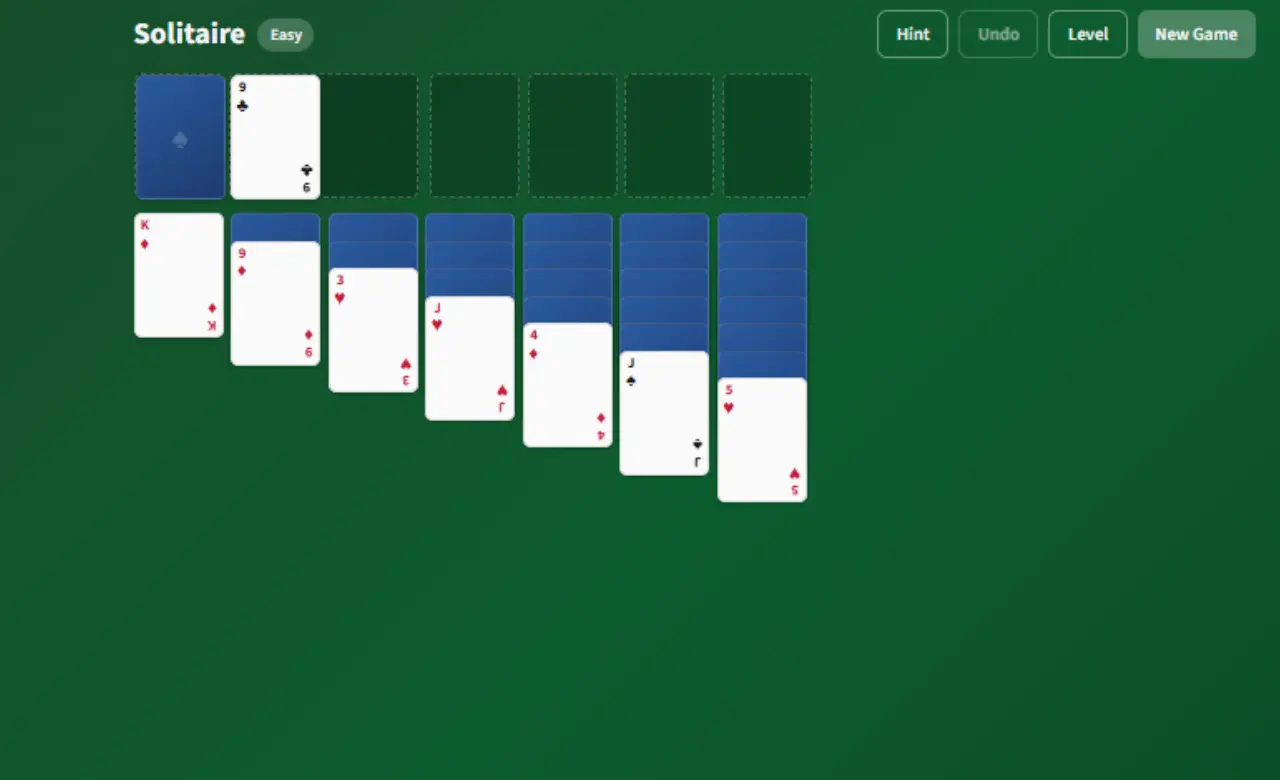
The stock pile holds the remaining cards. The waste pile
shows the cards drawn from the stock. Foundations are where completed suits are placed, and the
tableau is where most of the gameplay happens.
Keeping the HTML simple has two benefits.
It makes the structure easier to understand, and it allows JavaScript to create and update cards
automatically whenever a new game starts. There is no need to manage dozens of card elements by
hand.
CSS: Giving the Game a Classic Look
A game can work perfectly, but if it doesn't look good, players won't enjoy using it.
The goal here was to give Solitaire its familiar green-table appearance while making sure it worked well on different screen sizes.
:root {
    --card-width: 72px;
    --card-height: 100px;
    --green-felt: #0d5c2e;
}

@media (max-width: 600px) {
    :root {
        --card-width: 56px;
        --card-height: 78px;
    }
}
Using CSS variables made updates much easier. Instead of changing card sizes in multiple places,
adjusting a few values updates the entire layout.
The responsive design was just as
important. People often play casual games on their phones, so the cards need to resize properly
without becoming too small. Media queries help keep everything readable and easy to use on both
large and small screens.
Rather than creating separate versions of the layout, the same
design adjusts itself based on the device.
JavaScript: Making the Game Work
This is where most of the real work happens.
JavaScript controls the game rules, handles
player actions, and updates the board after every move.
Adding Difficulty Levels
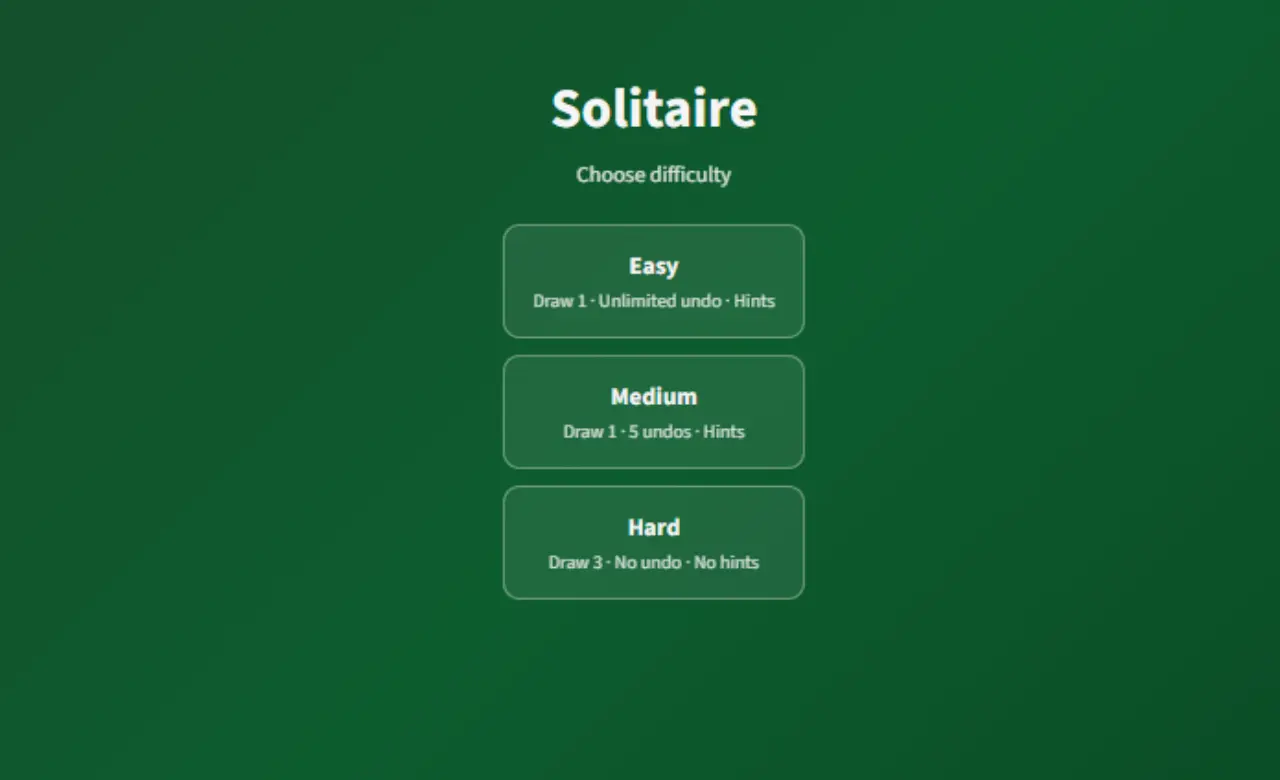
Not everyone wants the same level of challenge, so the game includes different difficulty options.
const DIFFICULTY = {
  easy: { drawCount: 1, undos: -1, hints: true },
  medium: { drawCount: 1, undos: 5, hints: true },
  hard: { drawCount: 3, undos: 0, hints: false },
};
Easy mode is great for beginners because it offers unlimited undo actions and hints.
Medium mode limits the number of times players can undo mistakes.
Hard mode is
designed for players who want a tougher challenge. It uses draw-three rules and removes both
hints and undo support.
Using a settings object like this makes it easy to change the
gameplay without rewriting the entire game.
Setting Up the Tableau
One of the most important parts of Solitaire is the way cards are dealt at the beginning.
for (let col = 0; col < 7; col++) {
  for (let i = 0; i <= col; i++) {
    const card = deck[idx++];

    card.faceUp = i === col;

    state.tableau[col].push(card);
  }
}
The first column gets one card, the second gets two, and the pattern continues until the seventh column
receives seven cards.
Only the top card in each column is turned face up. This small detail adds
challenge to the game. Since many cards stay hidden, players have to think carefully about their moves
and plan ahead to reveal useful cards.
Without this setup, Solitaire would lose much of what
makes it fun.
Checking Whether Moves Are Valid
Players shouldn't be able to place cards anywhere they want. The game checks every move before allowing it.
function canPlaceOnTableau(card, colIndex) {
    const col = state.tableau[colIndex];
    if (col.length === 0) return card.rank === 13;
    const top = col[col.length - 1];
    return top.faceUp && isRed(card.suit) !== isRed(top.suit) && top.rank === card.rank + 1;
  }
This logic makes sure the rules are followed.
- Kings can only move into empty columns.
- Red and black cards must alternate.
- Cards must be placed in descending order.
Using a separate function for move checking keeps the game organized and prevents invalid moves from slipping through.
Undo and Hint Features
Two features that improve the overall experience are undo and hints. Undo gives players a chance to fix mistakes without restarting the entire game. The number of available undo actions depends on the selected difficulty.
Hints work in a simple way.
Instead of finding the perfect move, the game searches the board and
suggests the first valid move it discovers. This helps players who get stuck while still leaving most of
the puzzle-solving up to them.
These small additions make the game more welcoming, especially
for people who are new to Solitaire.
Conclusion
Solitaire may look like a simple card game, but building it involves much more than moving cards around
the screen.
From creating a responsive layout to checking game rules and balancing difficulty
levels, every part of the project plays an important role in the final experience.
Projects like
this are a great way to improve JavaScript skills because they combine logic, user interaction, and
problem-solving. And at the end of it, you don't just learn JavaScript—you end up with a game people can
actually enjoy playing.